From Zero to Docked: A Beginner’s Field Guide to Domeeko
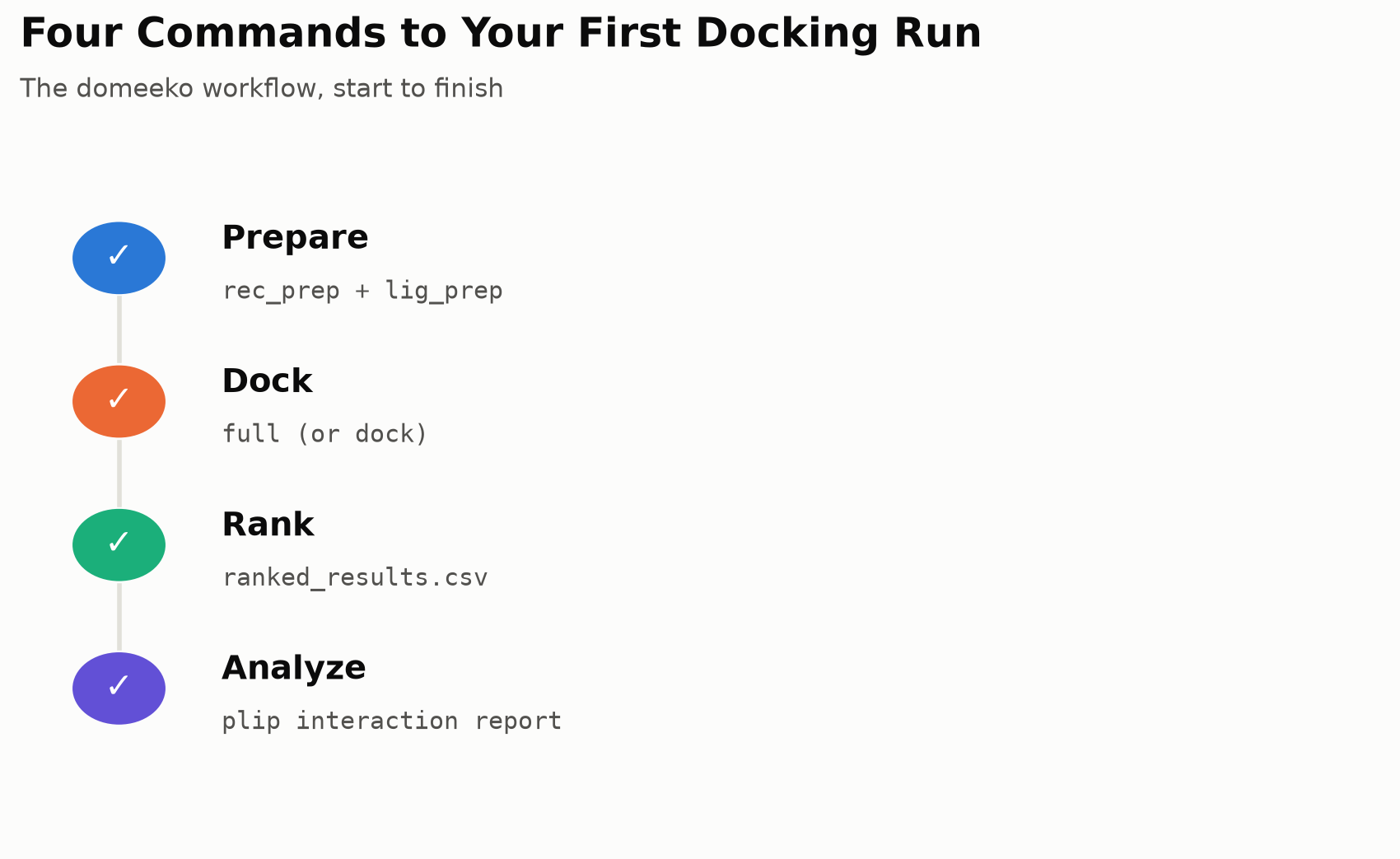
Four commands, one afternoon: a practical walkthrough of running your first docking study with domeeko.
The introduction to domeeko covered what the tool does. This post covers how to actually run it — the real commands, in the order you’d type them, for a first docking project with a receptor PDB file and a folder of ligands.
Step 1: Prepare your receptor
Before anything gets docked, the receptor structure needs cleaning — removing waters, fixing missing residues, adding hydrogens. That’s one command:
domeeko rec_prep --receptor protein.pdbIf your workflow depends on the legacy MGLTools pipeline instead of the modern RDKit/Meeko stack, domeeko supports that too:
domeeko rec_prep --receptor protein.pdb --use_mgl --mgl_path /opt/mgltools/binStep 2: Run the full pipeline
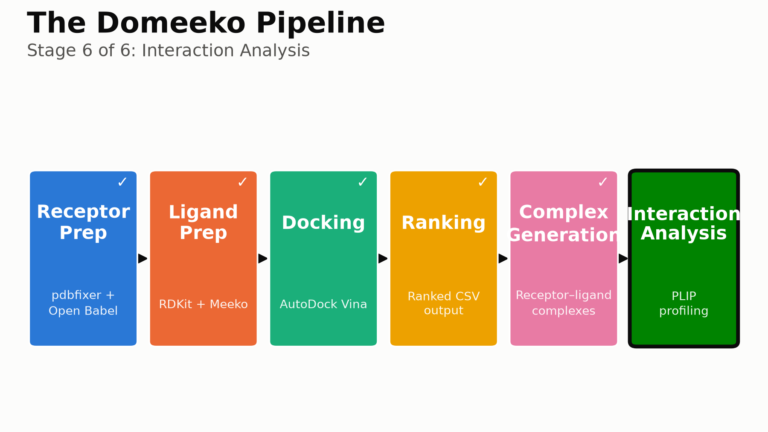
For a standard first run, you don’t need to call each stage separately — domeeko full chains receptor prep, ligand prep, docking, ranking, and (by default) PLIP interaction analysis into one command:
domeeko full --receptor protein.pdb --lig_dir ligands/ --exhaustiveness 16 --cpu 8--exhaustiveness controls how thoroughly AutoDock Vina searches each ligand’s conformational space (higher is slower but more thorough), and --cpu sets how many cores to parallelize across. Point this at a receptor file and a directory of ligand SDF or PDB files, and domeeko writes out docking_results/ (poses and logs), logs/ (detailed log files), and ranked_results.csv (every ligand, ranked by predicted binding affinity).
Step 3: Need more control? Dock manually
If you already have prepared PDBQT files and want to specify the docking box yourself rather than letting domeeko compute it automatically, dock takes explicit box coordinates:
domeeko dock --receptor protein.pdbqt --lig_pdbqt pdbqt_out/ --box 12.3 5.6 9.1 20 20 20The six numbers are cx cy cz sx sy sz — the box’s center coordinates and its size in Å along each axis. If you’d rather not eyeball those numbers, get_center will compute them from a residue of interest:
domeeko get_center --pdb_file protein.pdb --res_num 45 --chain A --padding 8That builds a docking box centered on residue 45 of chain A, with 8 Å of padding — useful when you know roughly where the binding site is but don’t want to hand-measure coordinates.
Step 4: Read the interactions, not just the score
A docking score tells you domeeko thinks a ligand binds well. It doesn’t tell you why. That’s what PLIP analysis is for — it runs automatically as part of full and dock, but can also be run on its own against any existing complex:
domeeko plip --complex_dir complexes/Complex_PDBor against a single complex, optionally generating a PyMOL session and interaction images:
domeeko plip --complex complexes/Complex_PDB/ligand1_complex.pdb --pymol --picsThe output — plip_results/plip_summary.csv plus a per-complex report — breaks down exactly what kind of contact each ligand is making: hydrogen bonds, hydrophobic contacts, π-stacking, π-cation interactions, salt bridges, water bridges, halogen bonds, and metal complexes. That’s the level of detail that turns “this scored well” into “this scored well because it’s forming a hydrogen bond with the residue that actually matters” — the same kind of interaction-level reasoning behind idgence’s own published docking studies.
That’s genuinely it
Four command types cover receptor prep, docking, ranking, and interaction analysis — everything most docking projects actually need. The full command reference, including every flag, lives in the GitHub README. If you get stuck, domeeko --menu launches an interactive terminal menu that walks through the options without requiring you to memorize any of this up front.
Domeeko is developed and maintained by idgence’s Asim Kumar Bepari. Try it at github.com/asimbepari/domeeko.